
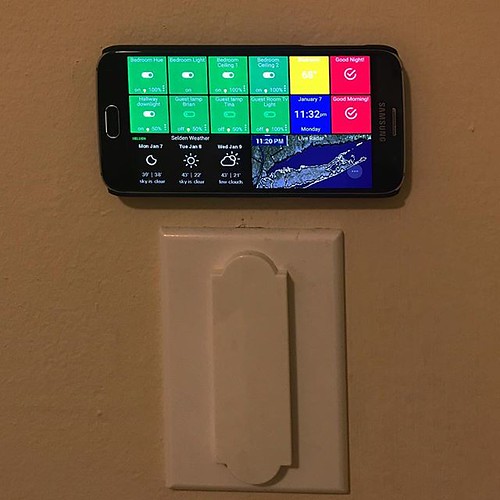

As smart devices proliferate in our living rooms, kitchens, and garages, the conversation around smart home security is shifting. For years, the convenience of controlling your lights or thermostat from anywhere in the world was the primary selling point. However, as we’ve seen with high-profile IoT (Internet of Things) botnet attacks, that same remote accessibility can become a significant vulnerability. The latest trend among tech-savvy homeowners isn’t just about buying new gadgets, but about restricting how they connect.
The Problem with Cloud-Dependent Devices
Most modern smart devices rely on a cloud server to mediate commands. When you tap “off” in your app, the signal travels to a manufacturer’s server, which then talks to your device. This creates several points of failure:
- Data Privacy: Your usage habits are stored on remote servers, often shared with third-party advertisers.
- Remote Exposure: If the manufacturer’s server is hacked, attackers may gain entry points to your network.
- Lag and Reliance: Your device doesn’t work if the internet goes down or the server crashes.
Why Local-Only Control is the New Standard
The counter-movement is smart home security through local control. Protocols like Zigbee, Z-Wave, and increasingly Matter-over-Thread allow devices to communicate directly with a local hub (like a Raspberry Pi or a dedicated bridge) without touching the internet. When the cloud is removed from the equation, the attack surface shrinks dramatically. A hacker cannot exploit a cloud vulnerability to access a light bulb that never talks to the cloud in the first place.
Implementing Network Segmentation
You don’t need to throw out your Wi-Fi devices to improve security. The most effective step you can take today is network segmentation. Most modern routers allow you to create a “Guest Network” or an “IoT VLAN.”
- Create an IoT Network: Connect all your smart bulbs, plugs, and fridges to this secondary network.
- Isolate Main Devices: Keep your computers, phones, and work laptops on the primary network.
- Restrict Communication: Configure your router so the IoT network can access the internet (for updates) but cannot initiate connections to your primary local network.
FAQs About Securing Your Smart Home
Do I need to turn off the internet for my smart devices?
No. Most devices still need internet access for firmware updates and initial setup. However, once configured, you can restrict their outbound access or use local-only protocols where possible.
Is Matter technology more secure?
Matter aims to standardize connectivity and includes robust security requirements for manufacturers. While it improves interoperability, it doesn’t eliminate the need for good password practices and network segmentation.
What is the single most important step I can take right now?
Change the default password on your router. If your router is compromised, every device connected to it is at risk. Use a strong, unique password and ensure your router’s firmware is up to date.
The future of smart home security lies in decentralization. By minimizing cloud dependency and isolating your IoT devices, you regain control over your data and significantly reduce the risk of a breach. It’s not about paranoia; it’s about practical digital hygiene for the connected home.