
Tax season is nigh upon us, and this year there is a meaningfully different option for the millions of Kenyan traders who have long found eTIMS too technical, too slow, or simply too much to deal with.
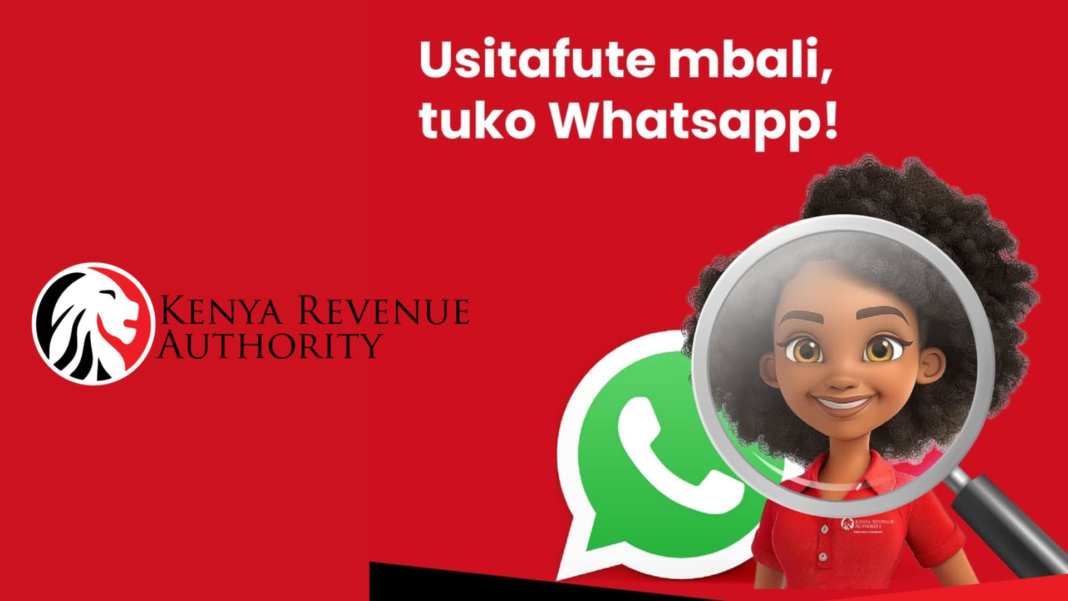
KRA launched a WhatsApp chatbot in January 2026 that lets you generate a compliant eTIMS invoice and get return filing assistance without opening a browser, visiting an office, or using the iTax portal.
We’ve created a plain walkthrough of exactly how it works, from the first message to the PDF in your hands.
Before you start, make sure you have a KRA PIN and are already registered on the iTax system. If you have never done either, you will need to visit itax.kra.go.ke first.
The WhatsApp service handles invoice generation and return assistance; it does not replace the initial PIN registration process.
What You Need
- A registered KRA PIN
- A WhatsApp account (any smartphone)
- Your buyer’s KRA PIN or name
- Basic details of what you sold and at what price
Add KRA to Your Contacts: Save the Number and Say Hello
Save +254 711 099 999 in your phone as KRA Tax Services or anything you will recognize. Once you’re done, open WhatsApp, find the contact, and send either “Hi” or “Menu” to begin the session.
The bot is live 24/7, and any WhatsApp connection will do, including WhatsApp Lite on a basic smartphone.
You can send “Menu” at any point during the session to return to the main services list.

Verify Your Identity: Prove You Are Who You Say You Are
Next, reply with your KRA PIN (for example, A012345678Z). The system checks it against the iTax database and confirms your registered business name. This links the entire session to your taxpayer record.
Every invoice you generate from here will be filed under your PIN in real time, which is exactly what KRA needs when it cross-checks your annual returns.
Your PIN is not sensitive in the way a password is, but keep it to legitimate KRA channels. Never share your iTax password with the bot; it will, however, never ask for it.

Select eTIMS Invoice From the Menu: Pick Your Service
The bot displays a list of 15 services. Pick the one you want for invoice generation, eTIMS Invoice. The menu also includes eTIMS Transmission (for filing pre-populated eTIMS data), File Tax Returns, Tax Compliance Certificates, Payments, and more.
Reply with the number or name corresponding to the eTIMS invoice. The bot immediately prompts you for your buyer’s details.

Enter Your Buyer’s Details: Tell the Bot Who You Are Selling To
The bot asks for your customer’s KRA PIN. Enter it and the system validates it in real time against KRA records. If the buyer is a registered business, their name will appear for you to confirm.
If your buyer has no KRA PIN, which is common with individual customers or informal buyers, you can enter their name manually.
The invoice will still be generated and transmitted, but you will not be able to claim the transaction as a deductible expense on your own return without a valid buyer PIN.
For business-to-business transactions, always ask your buyer for their KRA PIN before invoicing. Expenses with a missing buyer PIN may be queried during return validation.

Add Item, Quantity and Price: Log What You Sold
Describe the product or service in plain text. Then enter the quantity and the unit price when prompted. The bot calculates the total and applies the correct tax type based on your registration status.
Traders not registered for VAT are billed as non-VAT, while those who are pay the standard 16% rate.
A summary of the invoice details is then displayed. Check that the buyer name, item, and amount are correct before confirming. Once confirmed, the invoice cannot be edited; you would need to issue a credit note to make corrections.
Take a moment to verify the summary carefully. An incorrect invoice transmitted to KRA requires a formal credit note to reverse, which adds paperwork.

Invoice Generated and Transmitted: Confirm and Collect Your Invoice
Reply 1 to confirm. Within seconds, the invoice is transmitted to KRA’s eTIMS system in real time and logged against your PIN. You receive an SMS notification with the invoice number and a link to download the PDF.
The PDF includes a unique eTIMS Control Unit invoice number and a QR code which you can share directly with your buyer via WhatsApp, email, or print it out. It is fully compliant from the moment it is generated.
Save all invoice PDFs in a dedicated folder. When filing season arrives, they form the paper trail that supports your declared income and expenses.

Your Invoices Feed into Your Return: Close the Loop at Filing Time
Every invoice generated through the WhatsApp bot is stored in KRA’s eTIMS database under your PIN. When you sit down to file your annual income tax return, KRA’s system has already pulled all of your transmitted invoices.
Your declared income and expenses are automatically cross-checked against them.
The WhatsApp channel also offers File Tax Returns and eTIMS Transmission as separate menu options. The returns service walks you through the filing process step by step on iTax, while eTIMS Transmission lets you file returns pre-populated from your eTIMS records.
If you have been generating invoices all year through WhatsApp, most of your income data will already be pre-populated when you open your iTax return. Filing becomes a matter of reviewing, not rebuilding.

Also Available: USSD on *222#
For traders without a smartphone or reliable internet, the eCitizen USSD service on *222# offers the same eTIMS invoice generation through feature phone menus.
Select option 5 for KRA Services, then choose eTIMS Invoice, and follow the prompts. You will receive an SMS with the invoice number and a link to the PDF. The functionality is identical but the interface is simpler.
One thing worth underlining for anyone who has been putting off eTIMS compliance: from January 2026, KRA began validating all declared expenses against eTIMS records at the point of return filing.
Any expense not backed by a transmitted invoice can be disallowed, increasing your taxable income. The WhatsApp channel does not change that requirement, but it does make meeting it considerably less painful.